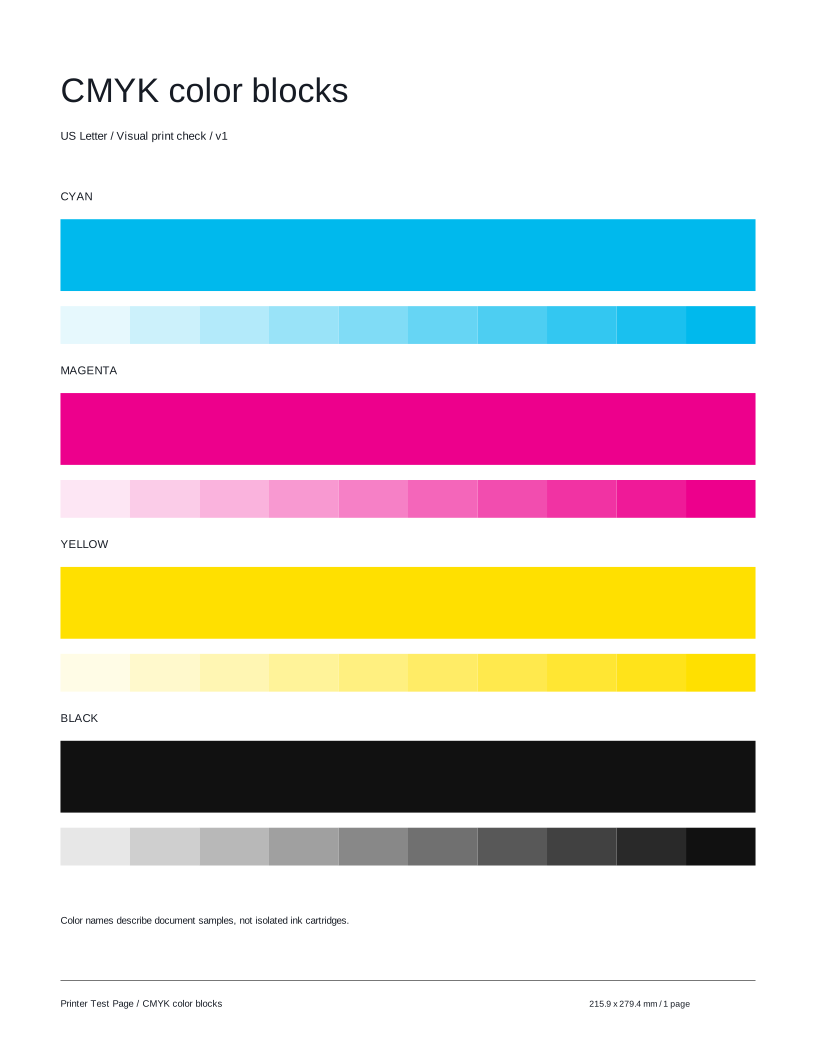
Color blocks

Check for missing colors, uneven coverage, or white lines in the solid areas.
 Printer Test PageFree test pages for your printer.TEST PAGE
Inspect cyan, magenta, yellow, and black blocks for gaps, uneven coverage, or stripes. A quick, easy way to compare your printer’s output.
Preparing your test page…
Use this guide to check the key areas on the test page. Each element helps you inspect a different aspect of print quality.
Check for missing colors, uneven coverage, or white lines in the solid areas.

Compare each row of lighter-to-darker samples. Look for unexpected jumps or missing steps.

Check the black block and its lighter tones for consistent coverage.

Check the labels and block edges for clarity, gaps, or smudging.
Compare these illustrative examples with your printout. Similar results can have different causes. It can reveal visible output issues, but this sheet cannot diagnose a component or replace your model’s maintenance procedures.

Solid blocks have even coverage, without unexpected gaps or stripes.

One or more areas look very light or have unexpected blank gaps.
Check color mode, supplies, and paper settings. A nozzle check may help investigate inkjet print issues.

Repeated interruptions appear across areas that should look even.
Check the quality setting and paper type. Follow your printer model’s maintenance guide if the issue persists.
Try these other tests for a more complete check.
Here are answers to common questions about the CMYK Color Blocks test page.
Print this test page and take a closer look at your output.
Test page not ready. Cancel printing, wait for the selected preview, and try again or download the matching PDF.